Jenkins CI the unseen building bricks of parallelization

One of my Jenkins pipelines was set up and, without further scrutiny, it just worked. It ran multiple stages that took several hours and eventually ended in green — the kind of result that contributes to a bright, sunny day. Though it was just past lunchtime, I cracked open a bottle of Gösser and called it a day.
These small rewards in the middle of routine work feel deserved, especially when you’re the one making the calls. There’s a subtle but important connection between ownership and responsibility — when things succeed, you feel it; when they fail, you own that too.
But celebration often are followed by reflection. The next step. What could be improved?
Given our quick observation, one obvious area is reducing total pipeline execution time. That naturally leads to parallelization. Jenkins, our most senior and tireless employee ,“Jenkins”, has a firm grip on this as well. In a Jenkins Pipeline, parallel execution is achieved through the parallel block (in Groovy), allowing independent stages and steps (like system tests and end-to-end tests) to run simultaneously.
However, digging deeper into parallelization reveals that it’s not just a switch you flip and expect light. For parallel execution to be reliable and scalable, certain foundational bricks have to be in place. Two key bricks are:
- Environment Reusability
- Environment Isolation
In my pipelines are the followings stages:
source → jail → build → unit → system → e2e → publish
Each stage depends on the outputs of previous one. This falls intuitively into reusability category. For example, source (code) is fetched once and reused multiple times later. Same thing goes to jail and build. The stages take place in sequence.
1
2
3
4
5
6
7
8
9
10
11
12
13
14
15
16
17
18
19
20
21
22
23
24
25
26
def BLDSRV = "bldsrv_" + BUILD_TYPE
lock("${BLDSRV}")
    node("${BLDSRV}") {
        stage('source') {
            echo "checkout source"
        }
        stage('jail') {
            echo "prepare build env. jail"
        }
        stage('build') {
            echo "build, compile and generate firmware"
        }
        stage('unit') {
            echo "run unit tests"
        }
        stage('system') {
            echo "run system tests"
        }
        stage('e2e') {
            echo "run e2e tests"
        }
        stage('publish') {
            echo "publish and deploy artifacts"
        }
    }
}
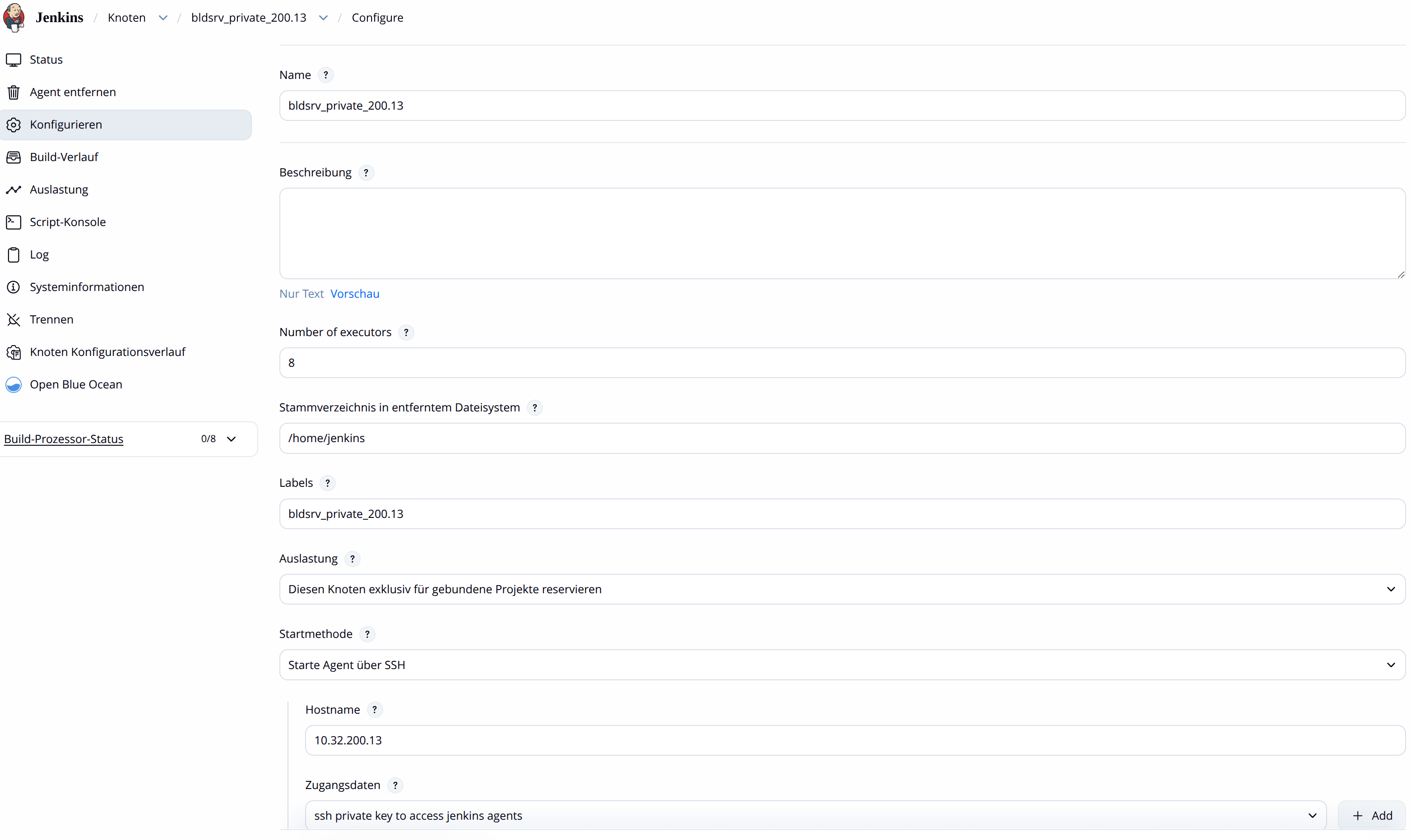
The stages enclosed within the node block would execute on the build server defined by the BLDSRV variable, which maps to nodes configured in Jenkins. Additionally, the lock block ensures that only one job at a time can occupy a given node (resource label), preventing interference from other jobs running concurrently on the same resource.
Besides, inside each stage we’d like steps to run in parallel. build, unit, system and e2e are good fits for implementing parallelization. Take e2e test as an example. It needs to use disk which is installed with previouly built firmware from system stage which in turn relies on the firmware from build stage and as well as green results of unit test. The goal of e2e is to boot from the installed firmware and perform tasks such as configuration and executing test suites against it.
This is where another key Jenkins feature steps up. The parallel block.
1
2
3
4
5
6
7
8
9
10
11
12
13
14
15
16
17
18
19
20
21
22
23
24
25
26
27
28
29
30
31
32
33
def BLDSRV = "bldsrv_" + BUILD_TYPE
lock("${BLDSRV}")
    node("${BLDSRV}") {
        stage('source') {
            echo "checkout source"
        }
        stage('jail') {
            echo "prepare fake root build env."
        }
        stage('build') {
            echo "build, compile and generate firmware"
        }
        stage('unit') {
            echo "run unit tests"
        }
        stage('system') {
            echo "run system tests"
        }
        stage('e2e') {
            def e2etest=[:]
            e2etest["test_suite1"] = {
                echo "run e2e test suite 1"
            }
            e2etest["test_suite2"] = {
                echo "run e2e test suite 2"
            }
            parallel e2etest
        }
        stage('publish') {
            echo "publish and deploy artifacts"
        }
    }
}
This basic pipeline would work in a quick demo but it’d fall short with our end to end testing goal — validating a fully-deployed, networked, configured cloud platform, consisting of multiple nodes, running the firmware(Operating System) produced in our build stage.
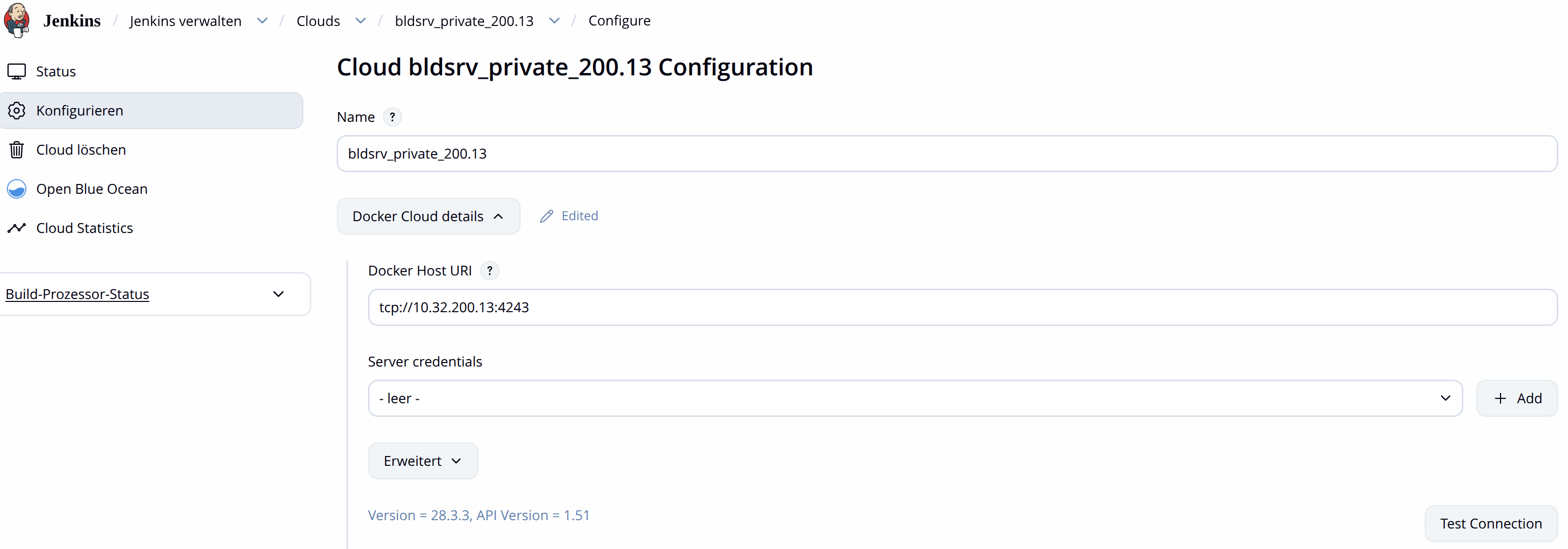
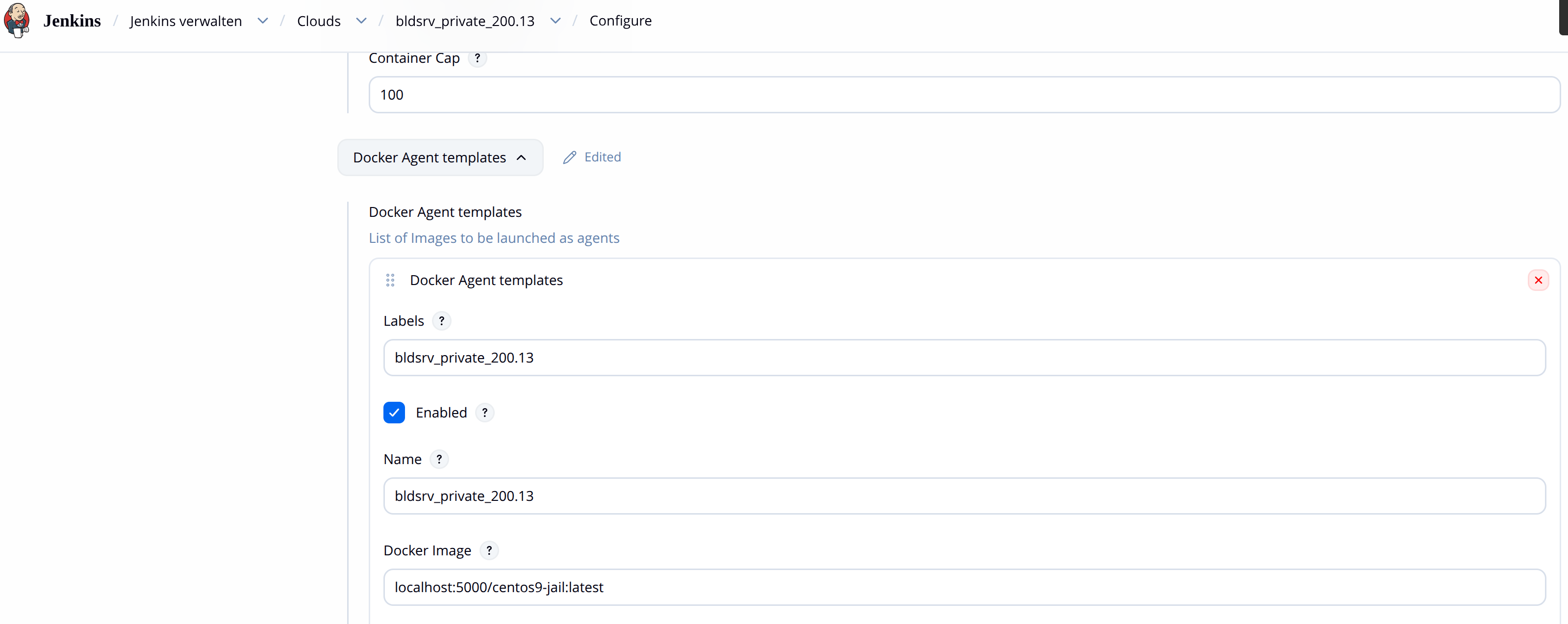
To address this, I leveraged another powerful capability, Jenkins Clouds. Underneath the surface it is backed by Docker containerization technology.
1
2
3
4
5
6
7
8
9
10
11
12
13
14
15
16
17
18
19
20
21
22
23
24
25
26
27
28
29
30
31
32
33
34
35
36
37
38
39
40
41
42
43
44
45
46
47
48
49
50
51
52
53
54
55
56
57
58
59
60
61
[root@localhost workspace]# cat /usr/lib/systemd/system/docker.service
[Unit]
Description=Docker Application Container Engine
Documentation=https://docs.docker.com
After=network-online.target nss-lookup.target docker.socket firewalld.service containerd.service time-set.target
Wants=network-online.target containerd.service
Requires=docker.socket
StartLimitBurst=3
StartLimitIntervalSec=60

[Service]
Type=notify
# the default is not to use systemd for cgroups because the delegate issues still
# exists and systemd currently does not support the cgroup feature set required
# for containers run by docker
# ExecStart=/usr/bin/dockerd -H fd:// --containerd=/run/containerd/containerd.sock
ExecStart=/usr/bin/dockerd -H tcp://10.32.200.13:4243 -H unix:///var/run/docker.sock --containerd=/run/containerd/containerd.sock
ExecReload=/bin/kill -s HUP $MAINPID
TimeoutStartSec=0
RestartSec=2
Restart=always

# Having non-zero Limit*s causes performance problems due to accounting overhead
# in the kernel. We recommend using cgroups to do container-local accounting.
LimitNPROC=infinity
LimitCORE=infinity

# Comment TasksMax if your systemd version does not support it.
# Only systemd 226 and above support this option.
TasksMax=infinity

# set delegate yes so that systemd does not reset the cgroups of docker containers
Delegate=yes

# kill only the docker process, not all processes in the cgroup
KillMode=process
OOMScoreAdjust=-500

[Install]
WantedBy=multi-user.target
[root@localhost workspace]# cat /etc/docker/daemon.json
{
  "storage-driver": "overlay2",
  "data-root": "/var/lib/docker",
  "features": {
    "buildkit": true
  },
  "exec-opts": ["native.cgroupdriver=cgroupfs"]
}

[root@localhost workspace]# systemctl status docker -l
● docker.service - Docker Application Container Engine
     Loaded: loaded (/usr/lib/systemd/system/docker.service; enabled; preset: disabled)
     Active: active (running) since Fri 2026-04-24 15:04:23 CST; 5 days ago
TriggeredBy: ● docker.socket
       Docs: https://docs.docker.com
   Main PID: 987664 (dockerd)
      Tasks: 887
     Memory: 10.9G
     CGroup: /system.slice/docker.service
             ├─ 987664 /usr/bin/dockerd -H tcp://10.32.200.13:4243 -H unix:///var/run/docker.sock --containerd=/run/containerd/containerd.sock
The above are the docker settings on worker node. Jenkins Clouds needs to be able to communicate and control it. Make sure Jenkins sees and can talk to your docker daemon of worker node by having a successful Test Connection.
With these in place, our pipeline evolves into:
1
2
3
4
5
6
7
8
9
10
11
12
13
14
15
16
17
18
19
20
21
22
23
24
25
26
27
28
29
30
31
32
33
34
35
36
37
38
def BLDSRV = "bldsrv_" + BUILD_TYPE
def CLOUD_NODE = BLDSRV + "_" + PLATFORM
lock("${BLDSRV}")
    node("${BLDSRV}") {
        stage('source') {
            echo "checkout source"
        }
        stage('jail') {
            echo "prepare fake root build env."
        }
        stage('build') {
            echo "build, compile and generate firmware"
        }
        stage('unit') {
            echo "run unit tests"
        }
        stage('system') {
            echo "run system tests"
        }
        stage('e2e') {
            def e2etest=[:]
            e2etest["test_suite1"] = {
                node("${CLOUD_NODE}") {
                    echo "run e2e test suite 1"
                }
            }
            e2etest["test_suite2"] = {
                node("${CLOUD_NODE}") {
                    echo "run e2e test suite 2"
                }
            }
            parallel e2etest
        }
        stage('publish') {
            echo "publish and deploy artifacts"
        }
    }
}
Now, each e2e test suite runs in parallel within its own containerized environment. These environments are fully isolated, with separate networking and filesystems. At the same time, shared data (such as build artifacts) is made available through volume mapping, ensuring reusability. All we’ve gone through this far is, nonetheless, still not the full story of the challenges I had. My e2e test construct is huge. The bootable drive and required data drives themselves take 100+ GB. The initial configuration alone took long time, which is another piece I had to optimize and made it reusable. Some long running steps can be started and put into background while letting other executiions take off. Not to mention the management of locally-hosted Docker registry where localhost:5000/centos9-jail resides. The fun never really ends. But anyhow, it’s another time to have a toast.